

The weather along your cycling route – timed to your pace
sunride shows you your weather for every point of your ride – exactly when you will be there. With all the details you need.

Use it right now in your smartphone browser – no download needed.
sunride on your iPhone
Tap the Share button in Safari, then "Add to Home Screen". sunride then opens full-screen like any other app.
Open sunride-weather.com in Safari on your iPhone, tap the Share button, then "Add to Home Screen". sunride then opens full-screen like any other app.
sunride on your Android phone
Open the Chrome menu (three dots) and choose "Install app" or "Add to Home screen".
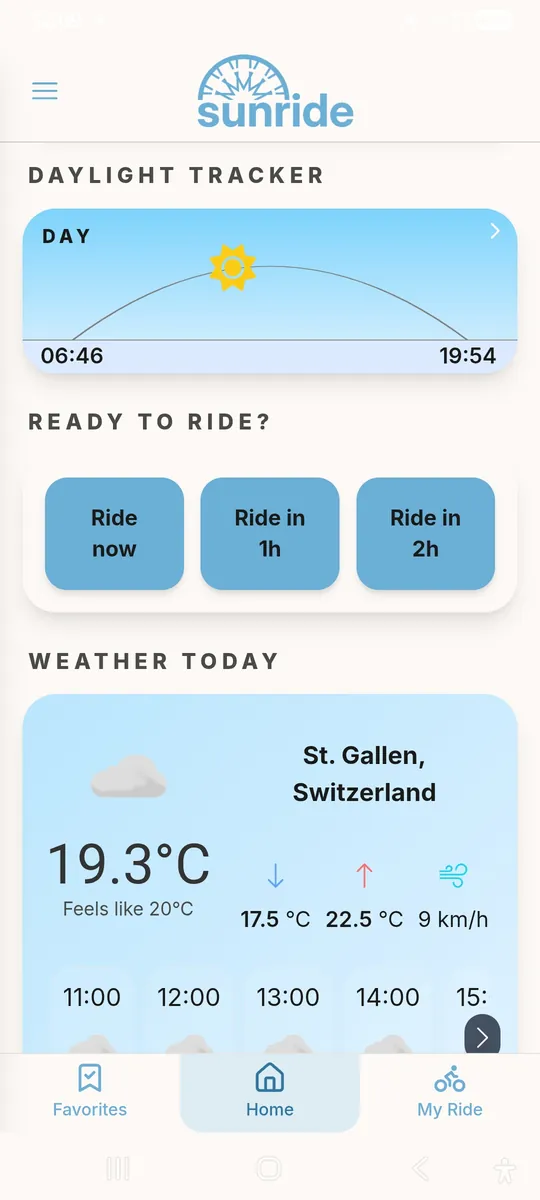
How sunride works
-
1
Add your route
Upload a GPX file – or draw your route freehand on the map.
-
2
Pick your start time and pace
sunride works out when you will reach each point of the route, including climbs and descents.
-
3
Ride prepared
Get a forecast for exactly your ride – so you know what to expect.
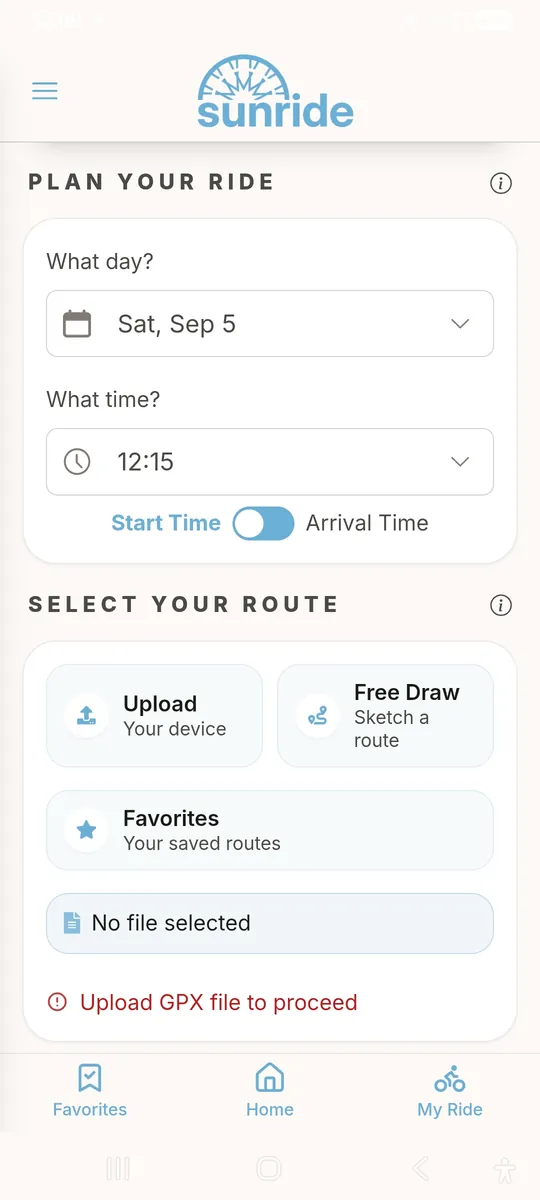
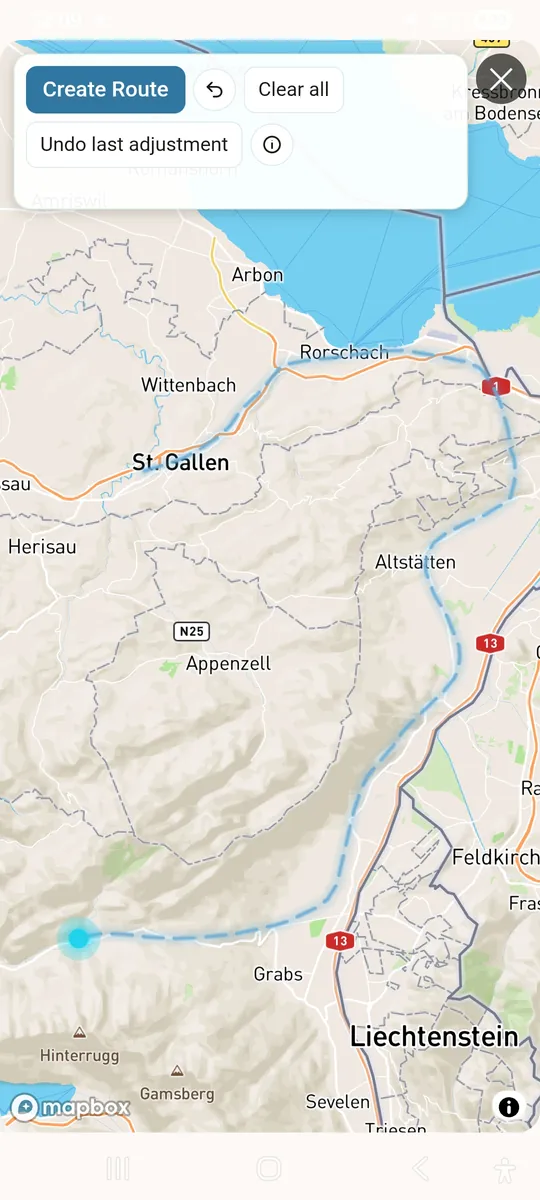
GPX upload or free draw
Two ways to add your route: upload a GPX file – or draw it freehand on the map, no file needed. Save routes you ride often as favorites.
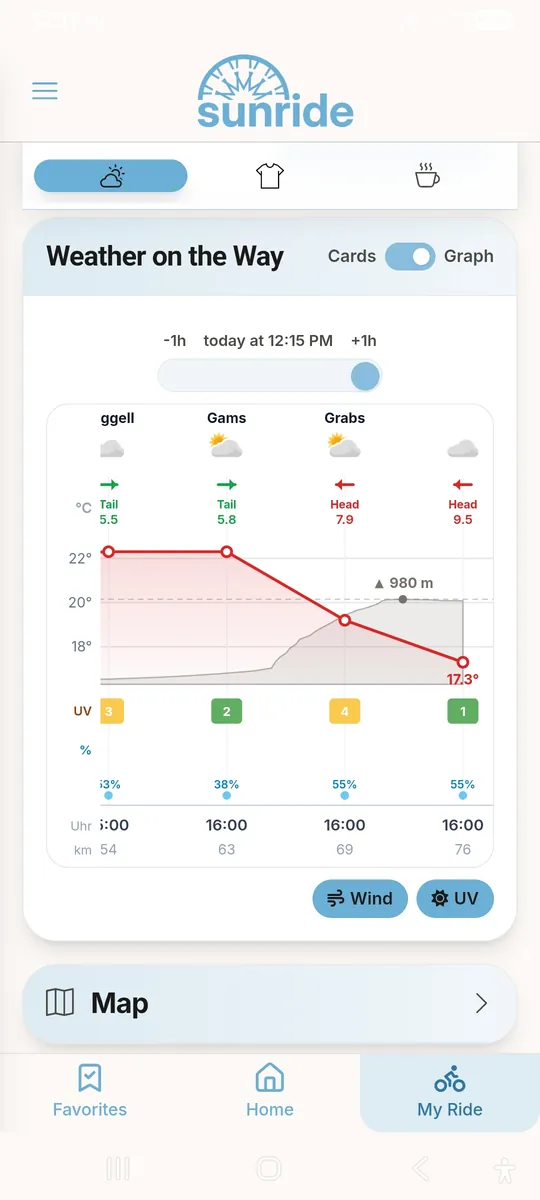
Weather timed to your real pace
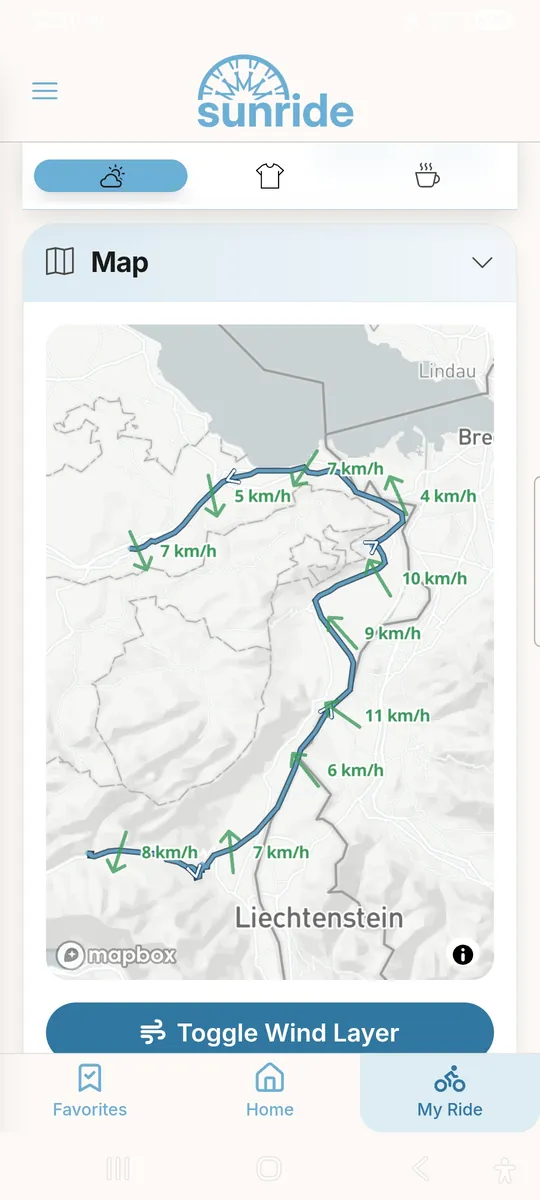
sunride shows you your weather at the right time and in the right places along your ride. So you know how cold it is at the top of the pass, when to expect a headwind, and whether you'll be home before the rain.
Your own commutes – there and back
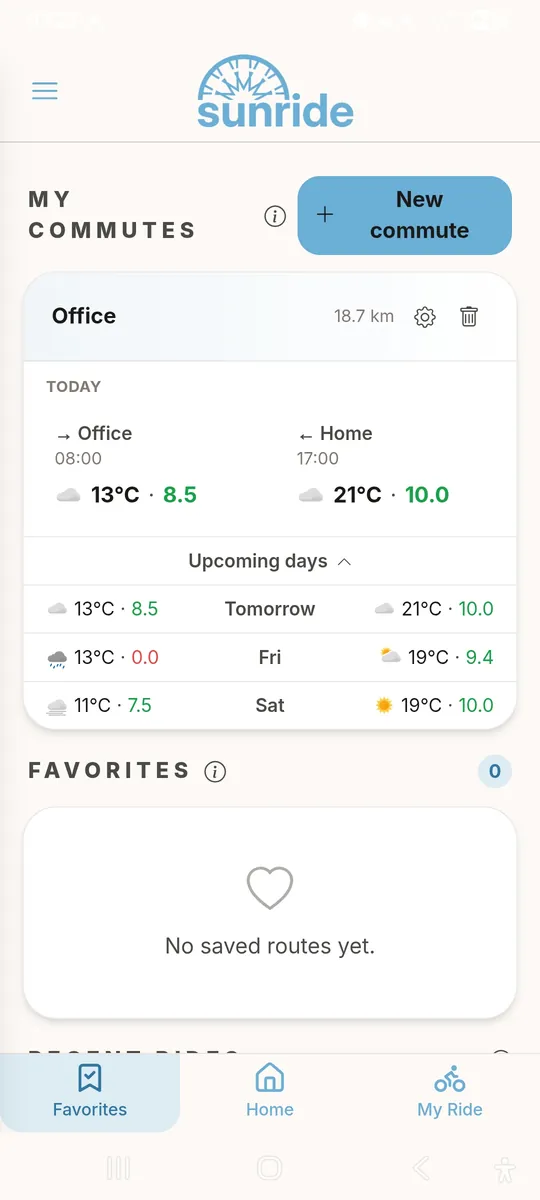
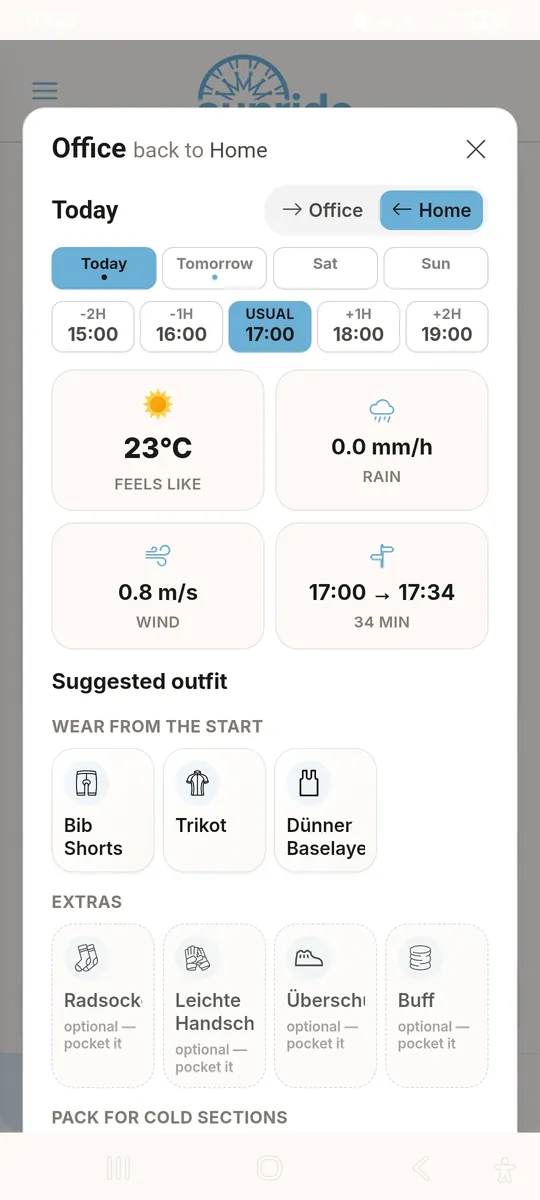
Save your commutes, e.g. your ride to work, and sunride checks both time windows every day: temperature and ride score for the way there and back, and one outfit that works in the morning and on the ride home.
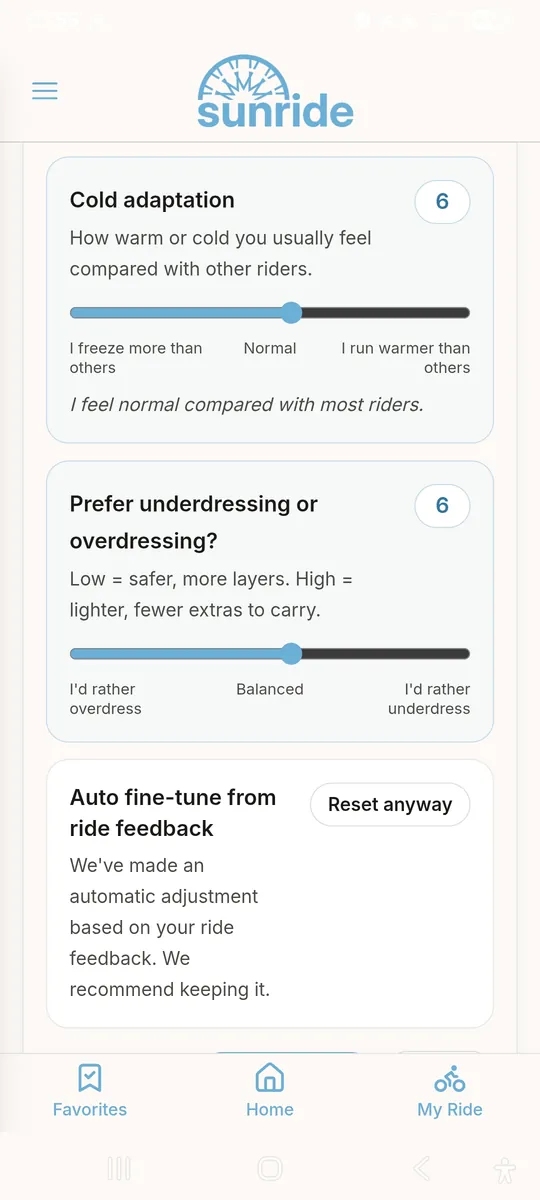
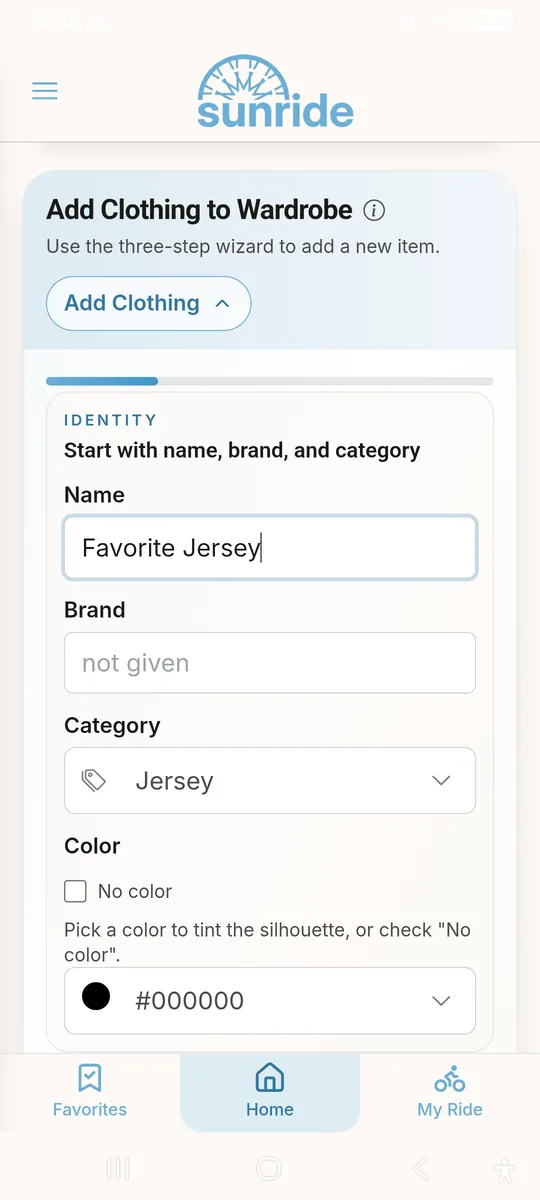
Know what to wear
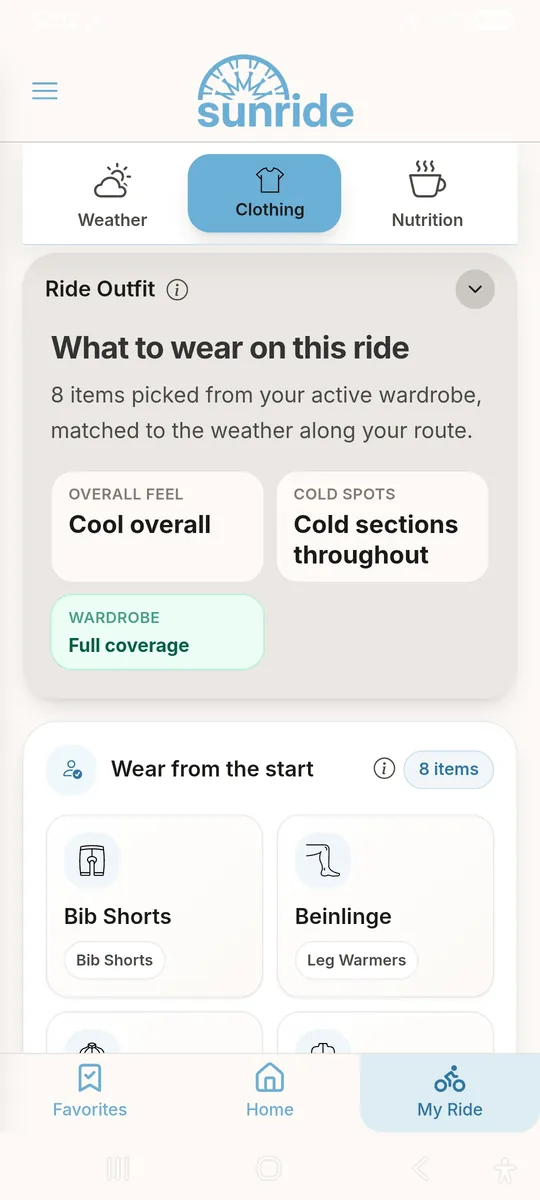
Get your clothing recommendation from your own wardrobe – tuned to you and your preferences. So you wear and carry exactly what you really need. sunride refines your recommendation after every ride.
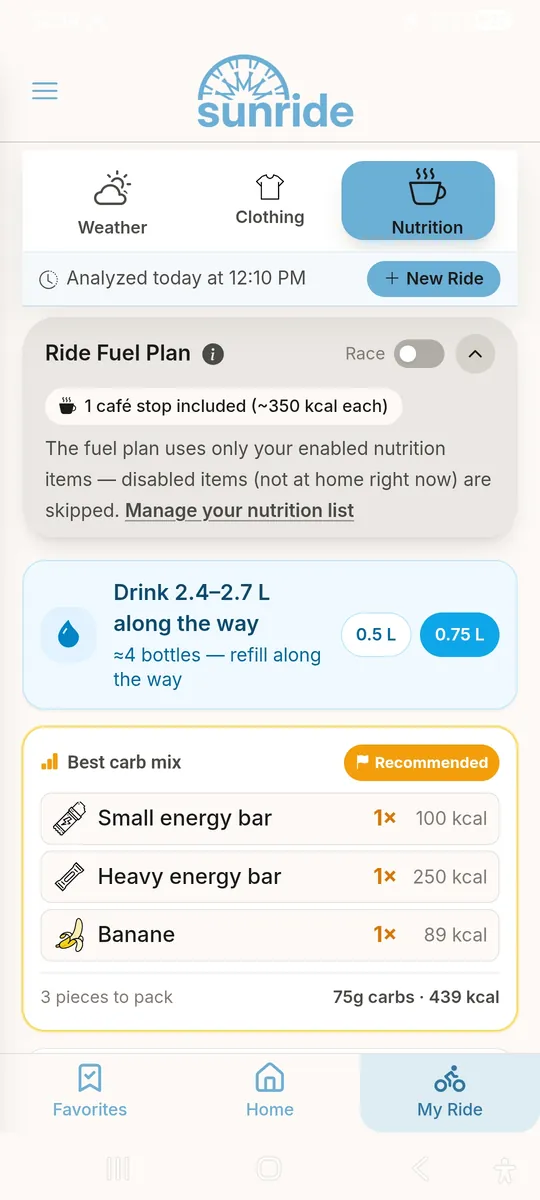
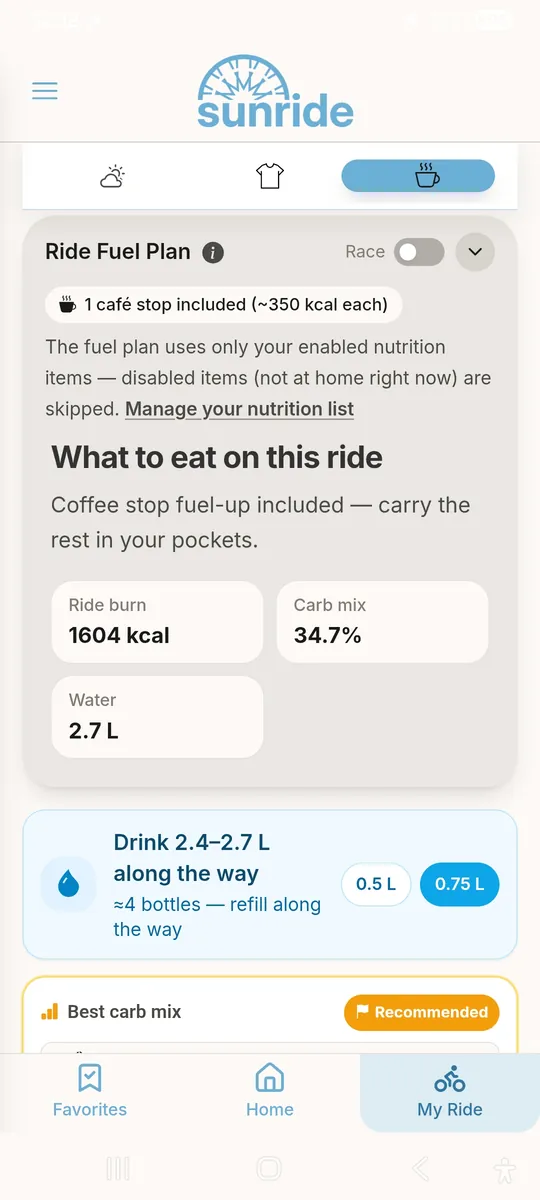
Always enough fuel
sunride calculates the carbs and water you'll need from your ride's pace and duration plus your personal consumption, and recommends a mix from your usual snacks. Bonking is a thing of the past.
… and much more
Lots of little things that make planning your ride easier.
- Ride score for the coming days
- Best time to ride today
- Plan rides days ahead
- Chance of rain along your route
- Sunrise and sunset at a glance
- More on the way …
Free to start
New accounts get 60 days of Weather+ for free.
Basic
Free forever
0€
-
Route upload and processing
-
Quick Ride Free Draw
-
Weather Cards
-
Wind Map Layer
Weather+
Covers our costs — that’s it
1.99€ /month
or 16.99€ per year
-
Everything in Basic
-
Weather Graph
-
Smart outfit recommendations
-
Fueling guidance
-
Commute planning for both directions
Premium
For the data-obsessed rider
5.99€ /month
-
Everything in Weather+
-
Strava sync
-
Personal Rider
Travel Pass
Weather+ without a subscription
3.49€ one-time, 45 days
-
45 days Weather+
-
No subscription
-
Perfect for a bike trip
Frequently asked questions
Which weather data does sunride use?
sunride uses forecast data from Open-Meteo, which combines the models of national weather services, and calculates the weather for the time you will actually reach each point of your route.
Do I need a GPX file?
No. You can upload a GPX file or simply draw your route freehand on the map.
Is sunride free?
Yes, the route weather forecast is free. On top of that, every new account gets 60 days of Weather+ for free, and it simply switches back to the free version afterwards. Weather+ adds the detailed weather chart, clothing recommendations and commute planning; after the trial it costs 1.99€ per month.
How do commute routes work?
Save any route you ride regularly – to work, to training or to your weekly group ride. Pick a saved route or upload one, choose whether it is one-way or already a round trip, and set your usual departure times and days. sunride then shows the weather and a ride score for both directions and suggests one outfit for the whole day – items you only need on the colder leg are marked as optional to pack.
Which devices does sunride run on?
sunride runs in any modern browser, as an Android app, and on iPhone and iPad via "Add to Home Screen".
Made by cyclists
sunride started because a single weather forecast is not enough for a long ride: the weather at the start says little about the pass two hours later. And how cold will the descent be? We try to offer real value to every cyclist. sunride is developed independently in Switzerland.
Know the weather on your next ride
Start free – including 60 days of Weather+.
Use it right now in your smartphone browser – no download needed.
sunride on your iPhone
Tap the Share button in Safari, then "Add to Home Screen". sunride then opens full-screen like any other app.
Open sunride-weather.com in Safari on your iPhone, tap the Share button, then "Add to Home Screen". sunride then opens full-screen like any other app.
sunride on your Android phone
Open the Chrome menu (three dots) and choose "Install app" or "Add to Home screen".